
_Overview_01_normal_20211130021315g.jpg)

_Overview_03_normal_20211130021345k.jpg)
_Overview_04_normal_20211130021400b.jpg)
_Overview_08_normal_20211130021440o.jpg)
_Overview_01_large_20211130021315e.jpg)

_Overview_03_large_20211130021345i.jpg)
_Overview_04_large_20211130021400n.jpg)

_Overview_08_large_20211130021440a.jpg)
AX3000 Whole Home Mesh WiFi 6 System
- AX3000 Dual Band WiFi - Super-fast WiFi 6 with speeds up to 3.0 Gbps†
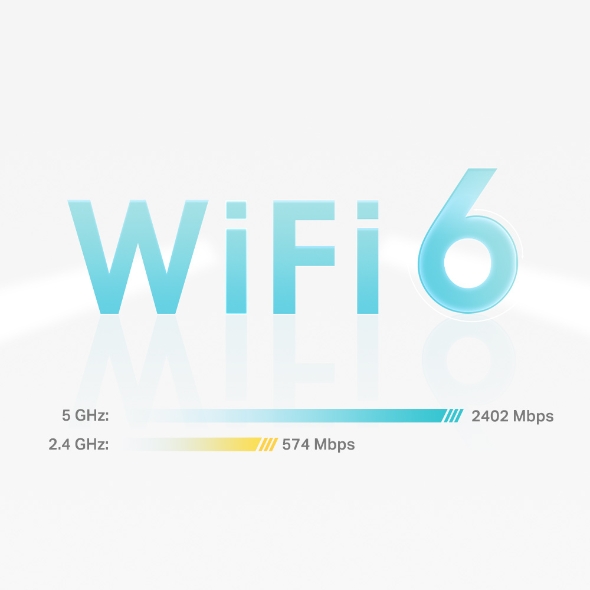
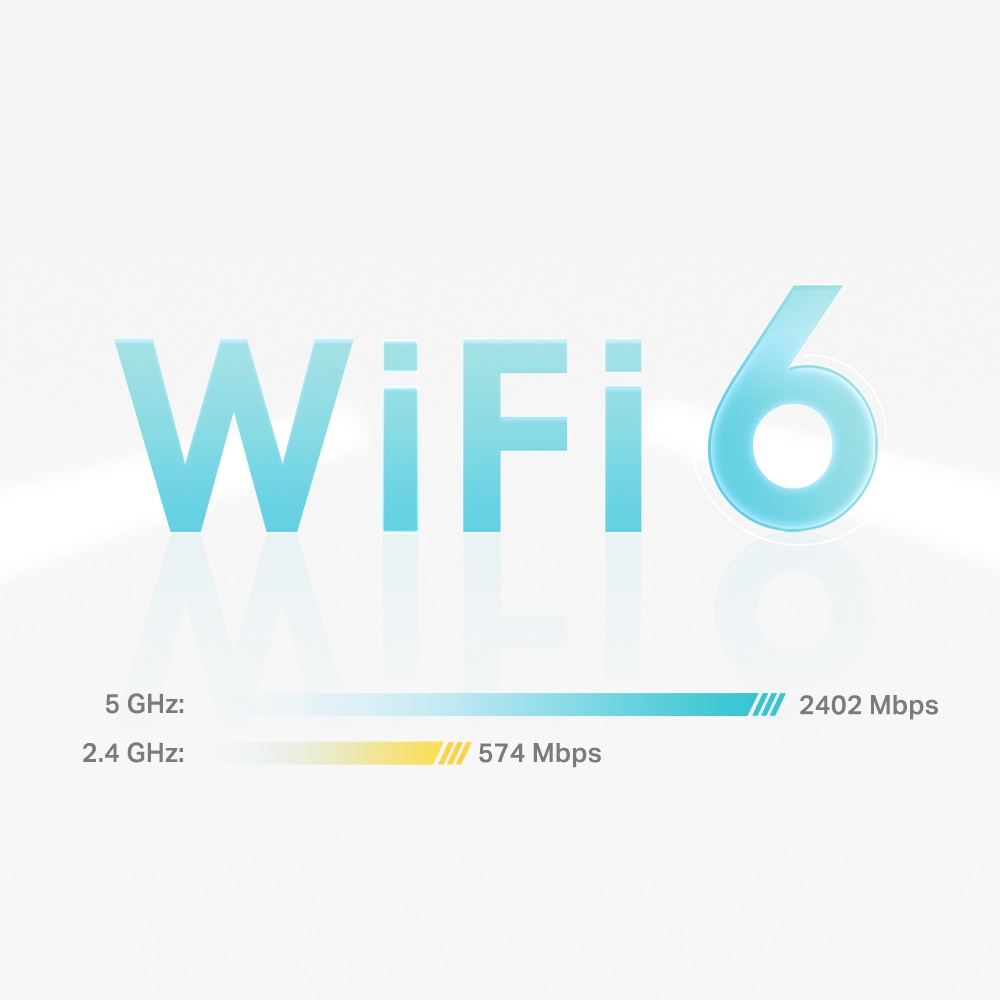
- 4 Streams, Less Lag - 2×2/HE160 2402 Mbps + 2×2 574 Mbps△
- Gigabit Wired Speed - 3× Gigabit ports provide sufficient connectivity
- Boosted Seamless Coverage - Seamless mesh WiFi coverage up to 4,500 ft2 (2-pack)†
- AI-Driven Mesh - Intelligently learns the network environment to provide ideal WiFi unique to your home‡
- TP-Link HomeShield - Provides comprehensive network protection, robust parental controls, and real-time IoT protection*
- Setup Made Easier Than Ever - The Deco app walks you through the setup step-by-step
_Overview_normal_20211130021244m.png)
_Overview_normal_20211130005706l.png)
Deco X55
Superior Mesh WiFi, Everywhere
AX3000 Whole Home Mesh WiFi 6 System

AX3000
Seamless Coverage up to 4,500ft²
3-4 Bedroom Houses†
Connects Over 150 Devices†
AI-Driven Mesh
HE160
Real-Time Cyber Security Protection
Ultra-Fast WiFi 6 Mesh
Armed with WiFi 6 technology, Deco whole home mesh WiFi is designed to deliver a huge boost in coverage, speed, and total capacity. Get on the latest mesh WiFi to enjoy the future network that loads faster and connects more.△
-
4× Larger Capacity
-
3× Faster Speed
-
1024-QAM
-
HE160
Doubling bandwidth -
Backwards Compatible
5 GHz:
2.4 GHz:
2402 Mbps
574 Mbps
WiFi 6 Mesh
- Broader Coverage
- More Connections
Whole-Home Coverage: WiFi Dead Zone Killer
With clearer and stronger signals enhanced by BSS Color and Beamforming, Deco X55 boosts broader whole home WiFi coverage with great performance. Wireless connections and optional Ethernet backhaul work together to link Deco units, providing even faster network speeds and truly seamless coverage. Want more coverage? Simply add another Deco.†
-
BSS Color Minimize WiFi Conflicts
-
Beamforming Concentrate Signal Strength
2-PACK
Covers up to 4,500 sq.ft.
3-PACK
Covers up to 6,500 sq.ft.
Engineered for
More Devices
Deco products are aimed to dramatically improve capacity and efficiency in traffic-dense environments. No matter how many screens or devices are on at once, everyone is able to enjoy a more efficient network that loads faster without dragging down performance.†
Gaming
8K Streaming
Phones and
Tablets
1080P Streaming
Smart Home
Devices
High-Speed
Downloading
4K Streaming
IP Camera
Streaming
Web Browsing
connections for over
150
devices
AI-Driven Mesh: Always Learning, Constantly Optimizing
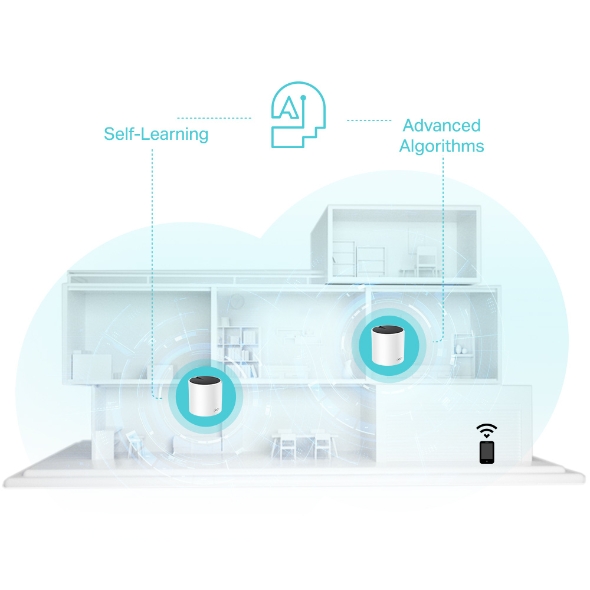
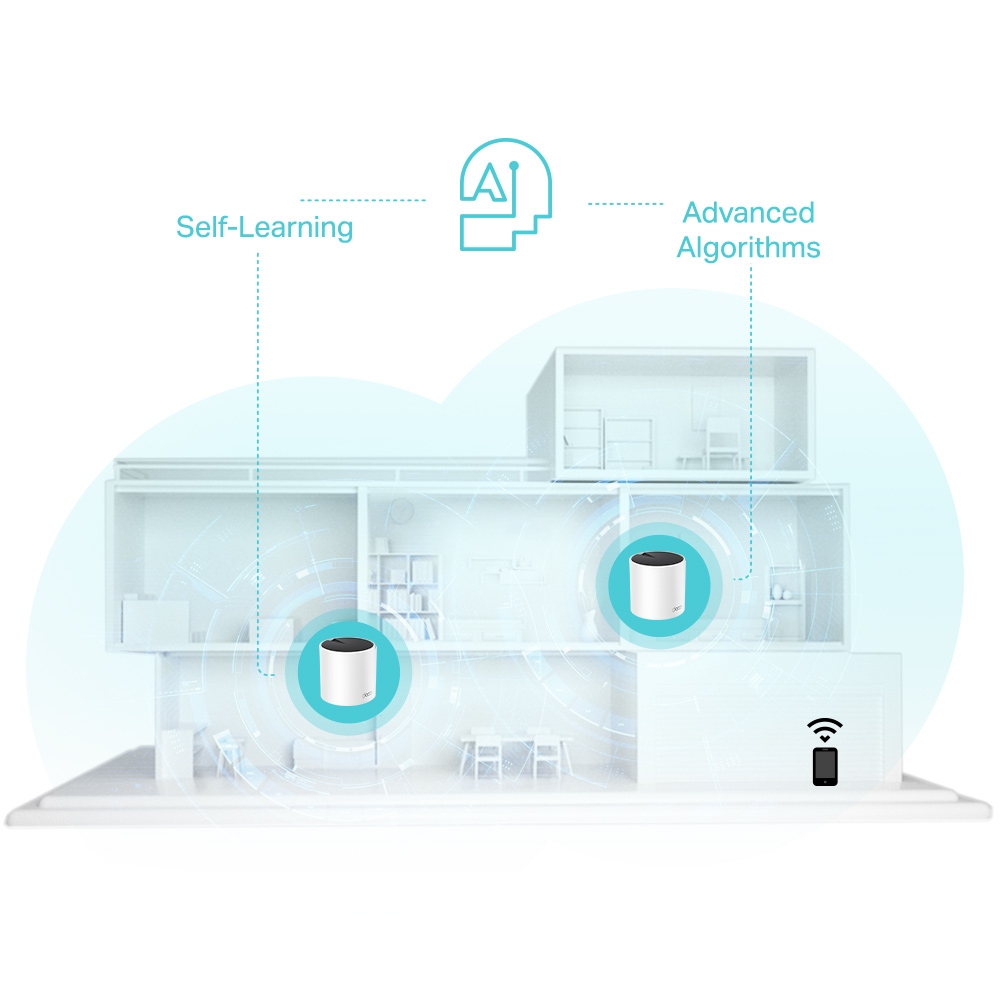
Armed with AI-Driven Mesh, Deco X55 delivers smart WiFi that follows you wherever you are, without interruption. It automatically learns your network environment, client quality, and user behaviors. Sophisticated algorithms account for various factors so that Deco X55 provides ideal mesh WiFi, unique to your home. Walk through your home and enjoy seamless streaming at the fastest possible speeds.
Self-Learning
Advanced Algorithms
Seamless Roaming with One WiFi Name
TP-Link Mesh means Deco units work together to form one unified network. Your phone or tablet automatically connects to the fastest Deco as you move through your home, creating a truly seamless WiFi experience.‡

Let the Experts Secure Your Home
Customize your home network with enhanced security using TP-Link HomeShield's kit of built-in features. Whether you're identifying network security holes, limiting the time your children spend online, or blocking websites, HomeShield gives you the tools you need to fully manage your network.*
-
Network Protection
Detect cyber threats to keep your privacy and connected devices well protected.
-
Robust Parental Controls
Manage online time and block inappropriate content to keep families healthy online.
-
Quality of Service (QoS)
Prioritize your bandwidth needs to get a faster networking experience.
-
Comprehensive Reports
Gain full statistics and insights to help you know your home network better.
Quick Setup with the Deco App
Unbox Deco, install the app and then simply follow the on-screen directions. Deco app will take care of the rest, getting your network up and running in minutes.
-

1 Connect Deco to your cable modem and power on both devices
-

2 Download and launch the Deco app; just follow the in-app directions to finish the setup steps.
-

3 For the next Deco, simply power on it to automatically join the network.
WiFi Made Easy
-

Easy Management
Manage your WiFi at home or away on the Deco app, including seeing all connected devices, prioritizing your own, setting up a guest network, and more.
-

Voice Control
Pair with Alexa to control Deco X55 with simple voice commands. Enjoy the convenient life.

-

All Decos Work Together
Deco X55 is compatible with every other Deco model to form a mesh network. Expand mesh WiFi coverage anytime by simply adding more Decos.
More than a Router, Functional and Beautiful
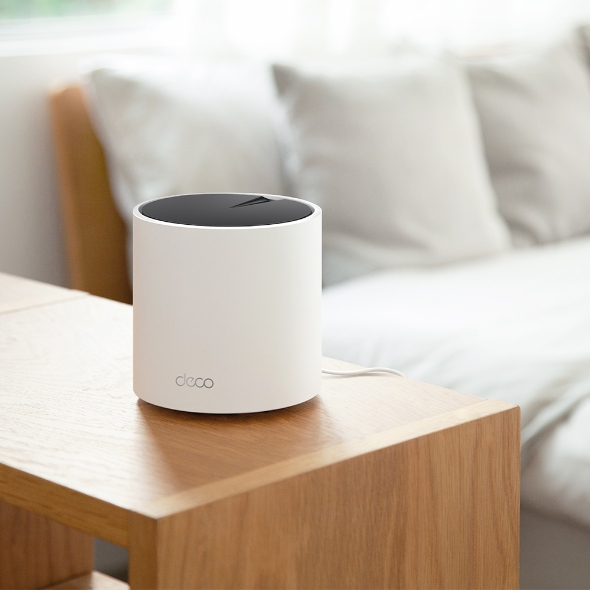
The pure white × black design, simple but all-embracing, evokes a wintery mood or a bright summer day. Deco X55 with a delicate body case makes it perfect to blend into various home decorations.
-
Subsol

-
Curte

-
Garaj

Roaming fără întrerupere
Unitățile Deco lucrează împreună pentru a forma o rețea unică. Telefonul sau tableta se conectează automat la cea mai apropiată unitate Deco pe măsură ce te plimbi prin casă, creând o experiență online fără probleme. Suportul IEEE 802.11r, precum și 802.11k /v înseamnă că trecerea de la o unitate Deco la alta este atât de rapidă încât este neobservată, chiar și în timpul streaming-ului.


-
Adaptive Path
Tehnologia TP-Link Mesh alege în mod dinamic cea mai bună rută și bandă pentru datele tale, garantând o conexiune rapidă indiferent de locul în care te afli în casă.


-
Self-Healing
Dacă o unitate Deco are o problemă, sistemul va redirecționa automat datele prin intermediul celorlalte unități deco pentru a-ți asigura conectivitatea online.
Wi-Fi + Powerline
Conexiunile Powerline utilizează circuitul electric al casei tale pentru a lega unitățile Deco, ocolind chiar și cei mai groși pereți.
Combinația între powerline și conexiunea wireless crează viteze de rețea de până la 60% mai rapide, comparativ doar cu o conexiune wireless.
- Boosted speeds
- 60%
- Standard Wi-Fi System
- Hybrid Wi-Fi System
- Powerline
- Note:Wi-Fi + Powerline doar pentru Deco P7
IoT Mesh
Spre deosebire de hub-urile tradiționale inteligente, tehnologia TP-Link Mesh oferă o acoperire IoT la domiciliu, cu Wi-Fi, Bluetooth și Zigbee integrate într-un sistem unic. Bucură-te de magia unei case inteligente în fiecare cameră cu tehnologia TP-Link Mesh. Spune la revedere nenumăratelor hub-uri.
- - - - Wi-Fi
- - - - Zigbee
- - - - Bluetooth
Seria Deco
Deco
-
 În curând
Deco BE85
Sistem Mesh Wi-Fi 7 Tri-Band BE19000 cu acoperire în toată locuința
-
 Nou
NouDeco BE65
Sistem Mesh Wi-Fi 7 BE9300 cu acoperire în toată locuința
-

Deco XE200
AXE11000 Whole Home Mesh Wi-Fi 6E System
-
 În curând
Deco XE75
Sistem Mesh Wi-Fi 6E Tri-Band AXE5400 cu acoperire în toată locuința
-
 Nou
NouDeco X60
Sistem Mesh Wi-Fi 6 Dual-Band AX5400 cu acoperire în toată locuința
-
 În curând
Deco X50-5G
Gateway 5G & Unitate Mesh Wi-Fi 6 AX3000 pentru o rețea portabilă
-
 Nou
NouDeco X50-PoE
Sistem Mesh Wi-Fi 6 AX3000 cu Suport PoE și acoperire în toată locuința
-

Deco X50
Sistem Mesh Wi-Fi 6 Dual-Band AX3000 cu acoperire în toată locuința
-

Deco X20
Sistem Mesh Wi-Fi 6 Dual-Band AX1800 cu acoperire în toată locuința
-

Deco S7
Sistem Mesh Wi-Fi Dual-Band Gigabit AC1900 cu acoperire în toată locuința
-
_normal_20230515082300b.png)
Deco M4
Sistem Mesh Wi-Fi Dual-Band Gigabit AC1200 cu acoperire în toată locuința
Aplicația TP-Link Deco este acum disponibilă în limba română
Aplicația TP-Link Deco, disponibilă în limba română, oferă cea mai ușoară modalitate de a configura, gestiona și monitoriza sistemul Mesh Deco Wi-Fi pentru întreaga casă prin dispozitivele iOS sau Android.
Configurarea a devenit mai ușoară
Deschide Deco, instalează aplicația și apoi urmărește instrucțiunile de pe ecran. Aplicația TP-Link Deco va avea grijă de restul și va face ca rețeaua să funcționeze în doar câteva minute.
-
Conectează Deco la modemul de cablu și pornește ambele dispozitive
-
Descarcă și pornește aplicația Deco
-
Urmărește instrucțiunile din aplicație pentru a configura sistemul tău Deco
Administrare ușoară
Aplicația Deco te ajută să administrezi rețeaua Wi-Fi de oriunde, indiferent dacă te afli pe canapea sau la serviciu.
-
Platformă de administrare intuitivă
Vizualizează starea de funcționare a rețelei tale, verifică dispozitivele conectate și obține toate caracteristicile oferite de router.
-
Mai multe unități deco într-o singură aplicație
Aplicația Deco gestionează toate rețelele Deco și dispozitivele conectate la Wi-Fi.
-
Verifică dispozitivele conectate
Vizualizează o listă a dispozitivelor conectate, cu posibilitatea de a întrerupe și a relua accesul la internet, de a testa viteza internetului și de a oferi prioritate sau de a bloca dispozitivele.
-
Management la distanță
Controlează rețeaua Wi-Fi de la distanță printr-o simplă atingere a telefonului - oriunde te-ai afla.
Control parental
Controlul parental simplu și intuitiv păstrează siguranța copiilor în timp ce sunt online.
-
Crează cu ușurință un profil pentru fiecare membru al familiei și setează limitele de timp personalizate. Atribuie dispozitivele fiecărui profil, astfel încât regulile să se extindă atât la dispozitivele individuale, cât și la membrii familiei.
-
Păstrează-ți familia în siguranță online cu setări de siguranță care blochează conținutul în funcție de vârstă.
-
Stabilește limite de timp petrecut online pentru fiecare persoană din familia ta.
-
Cu ajutorul statisticilor poți verifica site-urile pe care le vizitează copiii tai și cât timp petrec pe fiecare dintre acestea. Este un mod minunat de a menține siguranța copiilor în timp ce aceștia se distrează online.
-
Luați o pauză de la Wi-Fi pentru cină sau timp petrecut cu familia. Printr-o comandă simplă, poți suspenda accesul la internet pentru toți cei din casa
O aplicație intuitivă plină de caracteristici
Raport lunar de utilizare
Poți vizualiza o listă completă a detaliilor rețelei tale în fiecare lună, inclusiv utilizarea,
conținutul blocat, amenințările de securitate și multe altele.
Home Automation
Make your life easy with powerful automation and voice control tools.
*Currently only for Deco M9 Plus
Flexible Shortcut
Flexibly control all devices from your phone or tablet with just one click.
*Currently only for Deco M9 Plus
Protect Your Network
Built-in Antivirus helps you defend against malicious website and guard your online payment.
*Currently only for Deco M9 Plus, Deco P7 and Deco M5
Prioritize Your Devices
Choose which devices always have the fastest connections
or set priority for a specific time duration.
Set Application Priorities
Allocate more bandwidth for the activities most important to you with simple controls.
*Currently only for Deco M9 Plus, Deco P7 and Deco M5
Share Wi-Fi with Friends
Set up separate Wi-Fi profiles for guests and share the password to
make it easier for them to hop online.
Check Your Speed
Run a speed test to ensure you’re getting the internet speeds you’re paying for.
View every device on your network and see how much bandwidth they’re using.
Suntem aici ca să-ți oferim suport
Ai întrebări despre Deco? Ajutorul este întotdeauna la doar un clic distanță. Găsești răspunsuri în limba română la întrebările cele mai frecvente în aplicația Deco și ne poți contacta atunci când ai nevoie de ajutor.
Suport| Standards and Protocols | Wi-Fi 6IEEE 802.11ax/ac/n/a 5 GHzIEEE 802.11ax/n/b/g 2.4 GHz |
|---|---|
| WiFi Speeds | AX30005 GHz: 2402 Mbps (802.11ax, HE160)2.4 GHz: 574 Mbps (802.11ax) |
| WiFi Range | 3-4 Bedroom Houses (2-pack) TP-Link Mesh TechnologyOptional Ethernet backhaul work together to link Deco units to provide seamless coverageAI-Driven MeshIntelligently learns the network environment to provide ideal Wi-Fi unique to your home2× Antennas (Internal)Multiple antennas form a signal-boosting array to cover more directions and large areasBeamformingConcentrates wireless signal strength towards clients to expand WiFi range |
| WiFi Capacity | High Dual-BandDistribute devices to different bands for optimal performance2×2 MU-MIMOSimultaneously communicates with multiple MU-MIMO clientsOFDMASimultaneously communicates with multiple WiFi 6 clients4 StreamsMore than enough bandwidth for connected devices |
| Working Modes | Router ModeAccess Point Mode |
| Network Security | SPI FirewallAccess ControlHomeShield Security Real-Time IoT ProtectionMalicious Site BlockerIntrusion Prevention SystemDDoS Attack PreventionHome Network Scanner |
|---|---|
| Guest Network | 1× 5 GHz Guest Network1× 2.4 GHz Guest Network Effective TimeBandwidth Control |
| VPN Server | • Open VPN Server• PPTP VPN Server• L2TP VPN Server |
| VPN Client | • Open VPN Client• PPTP VPN Client• L2TP VPN Client |
| WiFi Encryption | WPA-Personal WPA2-Personal WPA3-Personal |
| Buton | Reset Button |
|---|---|
| Ethernet Ports | 3× Gigabit Ports*Per Deco Unit Supports WAN/LAN auto-sensing |
| Advanced Features | • Reboot Schedule (*Note: Version 1.0 and 1.20 support this feature. Further software upgrades for feature availability may be required.)• Tapo/Kasa onboarding• IoT network & Device Isolation• Static Router Function• Node/Band Connection Preference |
|---|---|
| Protocols | IPv4 IPv6 |
| Service Kits | HomeShieldLearn More> |
| Parental Controls | HomeShield Parental Controls Youtube RestrictionSafeSearchCustom ProfilesProfessional Content Filter LibraryFamily TimeBedtimeOff TimeTime RewardsFamily Online Time RankingPause the InternetWeekly and Monthly Reports |
| WAN Types | Dynamic IPStatic IPPPPoEPPTPL2TP |
| Quality of Service | HomeShield QoS QoS by Device |
| Cloud Service | OTA Firmware UpgradeTP-Link ID DDNS |
| NAT Forwarding | Port Forwarding UPnP |
| IPTV | IGMP ProxyIGMP SnoopingBridgeTag VLAN |
| DHCP | Address ReservationDHCP Client ListServer |
| DDNS | TP-Link |
| Management Features | Deco App |
| Network Services Enabled by Default | Web Server Manage and configure device through web (HTTP/HTTPS)• Port: 80/443 Protocol: TCP DNS DNS• Port: 53 Protocol: TCP & UDP DHCP Server IP address assignment (DHCP)• Port: 67 Protocol: UDP App management Manage and configure device through app• Port: 22 Protocol: TCP• Port: 20001 Protocol: TCP• Port: 30001 Protocol: TCP• Port: 20002 Protocol: UDP |
|---|---|
| WiFi Transmission Power | CE:<20 dBm (2.4 GHz)<23 dBm (5 GHz)FCC:<30 dBm (2.4 GHz)<30 dBm (5 GHz) |
|---|---|
| Dimensions (W×D×H) | 4.33 × 4.33 × 4.49 in (110 × 110 × 114 mm) |
|---|---|
| Conținutul pachetului | Deco X55 (1-pack)1 Deco X55 unit1 RJ45 Ethernet cable1 Power adapter1 Quick Installation GuideDeco X55 (2-pack)2 Deco X55 units1 RJ45 Ethernet cable2 Power adapters1 Quick Installation GuideDeco X55 (3-pack)3 Deco X55 units1 RJ45 Ethernet cable3 Power adapters1 Quick Installation Guide |
| Cerințe de sistem | Android 5.0 or later iOS 9.0 or later *Note: The minimum system requirements will be updated alongside updates to the app, subject to official website information. |
|---|---|
| Certificări | CE, FCC, RCM |
| Mediu | Operating Temperature: 0°C~40°C (32°F~104°F)Storage Temperature: -40°C~70°C (-40°F~158°F)Operating Humidity: 10%~90% non-condensingStorage Humidity: 5%~90% non-condensing |
†Maximum wireless signal rates are the physical rates derived from IEEE Standard 802.11 specifications. Actual wireless data throughput and wireless coverage, and quantity of connected devices are not guaranteed and will vary as a result of network conditions, client limitations, and environmental factors, including building materials, obstacles, volume and density of traffic, and client location.
△Use of WiFi 6 and other features including OFDMA, MU-MIMO, 1024-QAM, HE160 and BSS Color require clients to also support the corresponding features. The 160 MHz bandwidth may be unavailable in the 5 GHz band in some regions/countries due to regulatory restrictions.
‡Clients need to support 802.11k/v/r and may require additional set up. Performance may vary depending on the client device.
§Gigabit internet speeds require compatible service plans and equipment. All WAN/LAN ports will operate as either WAN or LAN ports. Only one port can serve as a WAN port at a time.
*HomeShield includes the Free Basic Plan. Fees apply for the Pro Plan. Visit tp-link.com/homeshield for more information.
Actual network speed may be limited by the rate of the product's Ethernet WAN or LAN port, the rate supported by the network cable, Internet service provider factors and other environmental conditions.
This Deco may not support all the mandatory features as ratified in IEEE 802.11ax specification.
Further software upgrades for feature availability may be required.
Google and Google Home are trademarks of Google LLC.